Fine-tuning
Fine-tuning is the process of teaching an AI model to understand and respond to user queries. ToothFairyAI allows organisations to build, own and host their own AI models, with support for five training methods — SFT, DPO, GRPO, KTO and continued pre-training — plus a sixth RLVR mode (reinforcement learning with verifiable rewards) for agentic tasks. This document provides an overview of the fine-tuning process.
Menu location
Fine-tuning can be accessed from the following menu:
Fine-tuning > Start tuning
Training data is managed in a single table — every training document lives in one place, regardless of kind. Each document has a type, shown in the Type column and filterable via the All types dropdown:
- Conversations (
conversationalTrainingdocuments): conversational (instruction–answer) datasets — used by SFT, GRPO and CPT - Preferences (
generativeTrainingdocuments): preferred vs non-preferred response datasets — used by DPO and KTO - RL tasks (
rlTaskdocuments): task definitions (a prompt plus a programmatic checker) — used by RL with verifiable rewards (RLVR)
The document type you author or import decides what kind of data you prepare; the training_type you pick when you start a job decides how that data is used.
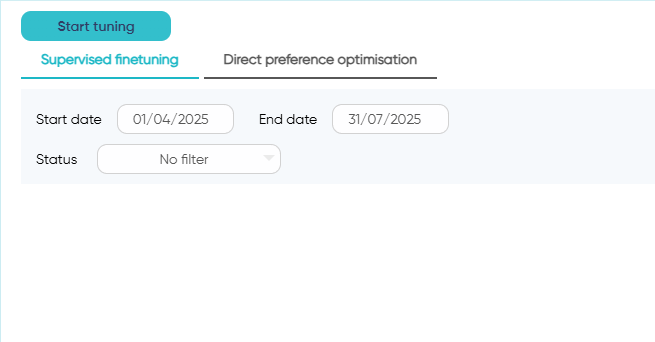
ToothFairyAI supports five training methods. Documents are stored as one of three types in a single table; the training_type you pick when you start a job decides how that data is used:
training_type | Method | Document type it draws from | What it optimises |
|---|---|---|---|
conversationalTraining | SFT (Supervised Fine-Tuning) | Conversations | Standard instruction–response adaptation |
generativeTraining | DPO (Direct Preference Optimisation) | Preferences | Preferred vs non-preferred responses |
grpoTraining | GRPO (Group Relative Policy Optimisation) | Conversations | Reward-driven; the model self-generates completions |
ktoTraining | KTO (Kahneman–Tversky Optimisation) | Preferences (unpaired) | Unpaired preference signal |
continuedPretraining | CPT (Continued Pre-Training) | Conversations | Plain-text domain adaptation (packed sequences) |
See Training data for the exact dataset format each document type expects.
grpoTraining combined with the rl.enabled config switches GRPO into RLVR mode: instead of a conversation dataset, it trains on rlTask documents — tasks the model attempts in a sandboxed environment, scored by programmatic checkers. See RL with Verifiable Rewards for the full guide, including when to choose it over SFT/DPO and its compute caveats.
:::
Fine-tuning process
The fine-tuning process consists of the following steps:
- Give a name to the fine-tuning process: The user can give a name to the fine-tuning process. The name of the fine-tuning job will be later used to identify the fine-tuned model in the
Hosting & Modelssection in the agents configuration. - Provide a description: The user can provide a description to the fine-tuning process (optional)
- Filter topics: Similarly to the
Knowledge HubandAgentsconfiguration, ToothFairyAI allows the user to filter the training data based on the topics selected. By default, all topics are selected which means all training data available in the workspace will be used for the fine-tuning process. - Select the model: Selection of the model to be fine-tuned. The selection influences both the dataset and the model output. The trainable catalogue is dynamic and environment-specific — the authoritative live list is returned by the public
GET /finetuning/modelsendpoint (see the Fine-Tuning API reference — the TF Fine-Tuning spec) and mirrored in the platform model picker. Each entry advertises itsmodelSize,maxBatchSize, thesupportsSft/supportsDpo/supportsVlmFinetuneflags, aloraConstraints.max_rank, and the SageMakerinstanceTypeplus the estimated UoI cost per hour. The current catalogue spans:
| Family | Sizes available | Notable example |
|---|---|---|
| Llama | 1B, 3B, 8B, 70B, 3.3 70B, Llama 4 Scout 17B | unsloth/Meta-Llama-3.1-8B-Instruct-bnb-4bit |
| Qwen | 1.5B, 3B, 7B, 14B, 32B, 72B | unsloth/Qwen2.5-32B-Instruct-bnb-4bit |
| DeepSeek-R1 Distill | 1.5B, 8B, 14B, 32B, 70B | unsloth/DeepSeek-R1-Distill-Qwen-14B-bnb-4bit |
| Mistral | 7B, Small 3.2 24B | unsloth/Mistral-Small-3.2-24B-Instruct-2506-bnb-4bit |
| Gemma | 1B, 3 4B, 2 9B, 3 12B, 3 27B, 4 31B | unsloth/gemma-3-27b-it-bnb-4bit |
| GLM | 4 32B | unsloth/GLM-4-32B-0414-unsloth-bnb-4bit |
| GPT-OSS | 120B | unsloth/gpt-oss-120b-unsloth-bnb-4bit |
| Vision (VLM) | Qwen2.5-VL 3B/7B/32B/72B, Qwen3-VL 4B/8B, Llama 3.2 11B Vision | unsloth/Qwen2.5-VL-7B-Instruct-unsloth-bnb-4bit |
All models ship as 4-bit quantised (bnb-4bit) variants and are trained with QLoRA. Vision (VLM) models support SFT on multimodal (image + text) data; DPO is not supported for VLMs. The max_rank is 32 for GPT-OSS 120B and 64 for every other model.
The base_model field is not constrained to the catalogue above — any valid HuggingFace model id is accepted. When a model is not in the registry the training engine uses it as-is and infers the model size (and therefore the training instance type) from the id, treating it as a non-VLM model of inferred size. On Enterprise, ToothFairyAI can additionally enable fine-tuning of the models already hosted on your agents — see Hosting & Models.
-
Datasets & model weights: When a job finishes it produces two kinds of artefact:
- Datasets — the training and evaluation JSONL (generated from your workspace documents plus any JSONL you imported), in a universal, model-agnostic format. Datasets are downloadable by every subscription tier and can be reused to fine-tune any model later, on or off the platform.
- Model weights — the trained LoRA adapter (
adapter_model.safetensors) together with itsadapter_config.json, plusmetrics.jsonand the training charts. Whether your tier can run the managed training job and download the weights is controlled by your subscription — a run blocked by quota surfaces as error code920("UoI quota exceeded").
By default:
Serverlessworkspaces can generate and download datasets only;Enterpriseworkspaces can run training and associate the fine-tuned model directly with their agents (Hosting & Models). Whether weight download is enabled for your plan is set at the subscription / UoI-quota layer, not in the fine-tuning handler itself, so confirm it with ToothFairyAI support before committing to a large run.
Both Llama 3.3 and Llama 3.1 models support tool calling and planning capabilities. Therefore, you can finetune not only text generation but also tooling such as API calls, DB queries and planning tasks!
In other words you can deeply customise even Orchestrator agents to suit your use cases!
Fine-tuning configuration parameters
When configuring your fine-tuning job, you'll encounter several technical parameters. Understanding these parameters helps you optimize the training process for your specific use case.
ToothFairyAI's managed fine-tuning runs on a 4-bit QLoRA + AWS SageMaker pipeline. The parameters documented in this section are the controls surfaced in the platform fine-tuning form. Three of them — Learning rate peak ratio, Number of evaluations, and Number of checkpoints — are honoured by the legacy Together provider only and are ignored by the managed training path, which evaluates and checkpoints once per epoch automatically (and applies a cosine warmup, not a peak ratio).
The managed-path defaults and the full per-method parameter set (including the LoRA, warmup, token-limit and drost beta controls not surfaced as form fields) are documented in the Managed fine-tuning reference section below. When driving training through the Fine-Tuning API, the CLI, or TF Code, use the config keys documented there.
Learning rate (%)
Default: 0.0001
The learning rate controls how quickly the model adapts to your training data. Think of it as the "step size" the model takes when learning.
- Lower values (e.g., 0.00001): More cautious learning, slower but more stable training. Recommended for large models or when you want to preserve the model's existing capabilities.
- Higher values (e.g., 0.001): Faster learning but may cause instability or "forgetting" of the base model's knowledge.
Learning rate peak ratio
Default: 0
This parameter controls the learning rate warmup schedule. When set to 0, no warmup is applied.
- Value of 0: Learning rate stays constant throughout training.
- Positive values (e.g., 0.1): The learning rate will increase from a lower starting point to the peak value, then potentially decrease. This helps stabilize early training.
Learning rate warmup ratio
Default: 0
Determines what fraction of training steps are used for learning rate warmup.
- Value of 0: No warmup period.
- Example value of 0.1: The first 10% of training steps gradually increase the learning rate from near-zero to the target learning rate.
This prevents large gradient updates early in training that could destabilize the model.
Min dataset for training test
Default: 200
The minimum number of examples required in your dataset to proceed with fine-tuning.
- This safety check ensures you have enough data for meaningful training.
- If your dataset has fewer examples than this threshold, the system will prevent training to avoid poor results.
Test dataset size (%)
Default: 0.1 (10%)
The percentage of your dataset reserved for evaluation (not used for training).
- 10% (0.1): Recommended default. For a 1,000-example dataset, 100 examples are used for testing, 900 for training.
- Lower values (e.g., 0.05): More data for training, less for evaluation. Use when you have limited data.
- Higher values (e.g., 0.2): More robust evaluation but less training data.
Number of evaluations
Default: 20
How many times during training the model's performance is evaluated on the test dataset.
- More evaluations (e.g., 50): Better tracking of training progress, helps identify overfitting early.
- Fewer evaluations (e.g., 5): Faster training but less insight into model performance during training.
Max epochs
Default: 20
An epoch is one complete pass through your entire training dataset. This sets the maximum number of passes.
- More epochs (e.g., 50): Model sees the data more times, potentially better learning but higher risk of overfitting.
- Fewer epochs (e.g., 3-5): Faster training, lower risk of overfitting but may not fully learn the patterns.
The training may stop early if the model converges before reaching max epochs.
Number of checkpoints
Default: 1
Checkpoints are saved snapshots of your model during training.
- 1 checkpoint: Only the final model is saved (most common).
- Multiple checkpoints (e.g., 5): Saves intermediate versions. Useful if you want to compare different training stages or if training might be interrupted.
Batch size
Default: 8
The number of training examples processed together in one training step.
- Larger batches (e.g., 32): More stable gradient estimates, faster training on powerful hardware, but requires more memory.
- Smaller batches (e.g., 2-4): Less memory required, can work on smaller GPUs, but may have more noisy training.
Batch size 8 is a balanced default for most use cases.
Rank for LoRA adapter weights
Default: 8
LoRA (Low-Rank Adaptation) is an efficient fine-tuning technique. The rank controls the capacity of the adaptation.
- Lower rank (e.g., 4): Fewer trainable parameters, faster training, smaller fine-tuned models, but less adaptation capacity.
- Higher rank (e.g., 16-32): More trainable parameters, can capture more complex patterns, but slower and requires more memory.
Rank 8 is optimal for most applications.
Alpha value for LoRA adapter
Default: 8
The alpha parameter scales the LoRA updates and works together with the rank parameter.
- Same as rank (e.g., 8): Standard configuration for balanced adaptation.
- Higher than rank (e.g., 16 for rank 8): Stronger LoRA influence on the base model.
- This ratio controls how much the LoRA adaptation influences the base model's behavior.
Dropout for LoRA adapter
Default: 0.1
Dropout randomly deactivates a percentage of neurons during training to prevent overfitting.
- 0.1 (10%): Standard dropout rate, provides good regularization for most datasets.
- Lower values (e.g., 0.05): Less regularization, use when you have limited training data.
- Higher values (e.g., 0.2-0.3): More aggressive regularization, helps prevent overfitting on large datasets.
- 0: No dropout, may lead to overfitting but can be useful for very small datasets.
Select LoRA layers
Choose which specific model layers to apply LoRA fine-tuning to. By default, common layer types are selected based on the model architecture.
Available layer types (depending on the selected model):
- k_proj: Key projection layers (used in attention mechanism)
- v_proj: Value projection layers (used in attention mechanism)
- q_proj: Query projection layers (used in attention mechanism)
- o_proj: Output projection layers (used in attention mechanism)
- up_proj: Up-projection layers (used in feed-forward networks)
- gate_proj: Gate projection layers (used in gated feed-forward networks)
- down_proj: Down-projection layers (used in feed-forward networks)
Selection strategies:
- All attention layers (k_proj, v_proj, q_proj, o_proj): Standard approach for fine-tuning, focuses on how the model processes relationships between tokens. Recommended for most use cases.
- Add feed-forward layers (up_proj, down_proj, gate_proj): More comprehensive fine-tuning that includes how the model transforms information. Use for complex domain adaptation.
- Selective layers: Choose specific layers to reduce memory usage and training time while targeting particular model behaviors.
When to customize:
- Memory constraints: Select fewer layers (e.g., only q_proj and v_proj) to reduce GPU memory requirements.
- Faster training: Fewer layers train faster but may have reduced adaptation capacity.
- Standard use: Keep the default selection which typically includes the key attention layers.
Train on inputs
Options: Auto / True / False (Default: Auto)
Controls whether the model is trained to predict both the input (prompt) and output (response) or only the output.
- Auto (Recommended): System automatically determines the best setting based on your dataset and use case. This intelligently analyzes your data and selects the optimal training approach.
- True: Model learns to predict both user inputs and assistant responses. This can improve contextual understanding and is useful when you want the model to learn the style and structure of both questions and answers.
- False: Model only learns to predict assistant responses (the standard supervised fine-tuning approach). The model focuses solely on generating appropriate outputs given inputs.
When to use each option:
- Use Auto for most cases unless you have specific requirements.
- Use True if you want the model to learn conversational patterns and input formatting.
- Use False for standard instruction-following fine-tuning where only response quality matters.
For most use cases, the default values provide a good starting point. Consider adjusting these parameters if:
- You have a very small dataset (< 500 examples): Reduce epochs to 3-5 to avoid overfitting
- You have a very large dataset (> 50,000 examples): You may increase batch size and epochs
- Training is unstable: Reduce learning rate by 10× (e.g., to 0.00001)
- Training is too slow: Increase batch size if memory allows
Managed fine-tuning reference
This section documents what the managed 4-bit QLoRA + AWS SageMaker training engine actually honours, so you can configure jobs confidently from the platform, the Fine-Tuning API, the CLI, or TF Code. It is the authoritative reference for the config object on POST /finetuning/start/{trainingLogId}.
Suffixes by method family
Many config knobs are suffixed by method family — use the suffix matching the training_type you picked:
RCsuffix → SFT family:conversationalTraining,grpoTraining,continuedPretrainingGNsuffix → DPO family:generativeTraining,ktoTraining
For example, set learningRateRC for an SFT run and learningRateGN for a DPO run. A handful of keys (baseModel, maxSeqLength, gradientAccumulationSteps, enableManagedSpotTraining) are shared across methods and take no suffix.
Token limits
ToothFairyAI does not impose a fixed platform-wide token cap; the maximum sequence length is configurable per job:
| Setting | Behaviour |
|---|---|
maxSeqLength (default 2048) | Hard cap on tokens per sequence for SFT / DPO / KTO / CPT. Longer sequences are truncated by the tokenizer. |
| DPO / KTO prompt length | Capped to 50% of maxSeqLength (max_prompt_length). |
| VLM (vision) models | maxSeqLength is set to null — sequences are auto-sized per sample. |
| GRPO | Uses max_completion_length (baked-in 512), not maxSeqLength; this knob is not exposed in config. |
All models are trained 4-bit quantised (QLoRA) — use_4bit is always on and not configurable. Token accounting beyond these is governed by the HuggingFace tokenizer defaults.
Hyperparameters exposed per method
✅ = settable via config; ❌ = not exposed (baked-in default); ⚠ = advisory only.
| Knob | config key | Default | SFT | DPO | GRPO | KTO | CPT | VLM |
|---|---|---|---|---|---|---|---|---|
| LoRA rank | loraR{RC/GN} | 8 | ✅ | ✅ | ✅ | ✅ | ✅ | ✅ (all layers) |
| LoRA alpha | loraAlpha{RC/GN} | 8 | ✅ | ✅ | ✅ | ✅ | ✅ | ✅ |
| LoRA dropout | loraDropout{RC/GN} | 0.0 | ✅ | ✅ | ✅ | ✅ | ✅ | ✅ |
| LoRA target layers | loraLayers{RC/GN} | all-linear | ✅ | ✅ | ✅ | ✅ | ✅ | ❌ (all layers) |
| Learning rate | learningRate{RC/GN} | 2e-4 | ✅ | ✅ | ✅ | ✅ (capped 5e-6) | ✅ | ✅ |
| Warmup ratio | warmUpLearningRate{RC/GN} | 0.1 | ✅ | ✅ | ✅ | ✅ | ✅ | ✅ |
| Epochs | trainingEpochs{RC/GN} | 1 | ✅ | ✅ | ✅ | ✅ | ✅ | ✅ |
| Batch size | batchSize{RC/GN} | 2 | ✅ (auto grad-accum) | ✅ | ✅ | ✅ (min 4) | ✅ | ✅ |
| Gradient accumulation | gradientAccumulationSteps | 4 | ✅ | ✅ | ✅ | ✅ | ✅ | ✅ |
| Max sequence length | maxSeqLength | 2048 | ✅ | ✅ | ❌ | ✅ | ✅ | auto (null) |
| Train on inputs | trainOnInputs{RC/GN} | false | ⚠ | ⚠ | ❌ | ❌ | ❌ | ❌ |
| DPO / KTO beta | dpoBeta{RC/GN} | 0.1 | ❌ | ✅ | ❌ | ❌ (uses kto_beta=0.1) | ❌ | ❌ |
| Test split fraction | testSize{RC/GN} | 0.1 | ✅ | ✅ | ✅ | ✅ | ✅ | ✅ |
| Test-split threshold | datasetTestSizeThreshold{RC/GN} | 200 | ✅ | ✅ | ✅ | ✅ | ✅ | ✅ |
| Spot instances | enableManagedSpotTraining | true | ✅ | ✅ | ✅ | ✅ | ✅ | ✅ |
The engine's fixed defaults (each now overridable via config — see the full reference): 4-bit QLoRA on by default (use4bit); evaluation & checkpointing default to once per epoch (evalStrategy* / saveStrategy*); lr_scheduler_type="linear"; optim="adamw_8bit"; max_grad_norm=1.0; seed=3407; logging_steps=10.
Knobs with baked-in defaults not exposed in config: GRPO grpo_num_generations (4), grpo_max_completion_length (512), grpo_reward_funcs (default) — the GRPO sliders in the platform store these keys but the managed engine does not consume them. KTO's beta and weights are exposed (ktoBetaGN, ktoDesirableWeight, ktoUndesirableWeight).
Learning rate peak ratio, Number of evaluations and Number of checkpoints (in the form-parameter section above) are consumed by the legacy Together provider and are ignored on the managed training path. On the managed path, evaluation and checkpointing are controlled instead via evalStrategy* / evalSteps* and saveStrategy* / saveSteps* / checkpointsNumber* (defaults: once per epoch, no intermediate checkpoints kept). To bound training cost/time, reduce trainingEpochs rather than the evaluation/checkpoint counts.
What you can control from the CLI / API / TF Code
Answering "does the terminal agent give full control over … learning rate, warmup, test split, evaluations, epochs, checkpoints, batch size, LoRA rank, alpha, dropout, selected layers, and train?" — here is the honest, knob-by-knob map for the managed path:
| Control | Settable via config? | Notes |
|---|---|---|
| Learning rate | ✅ | learningRate{RC/GN}; KTO clamps to min(value, 5e-6) |
| Warmup | ✅ | warmUpLearningRate{RC/GN} (warmup ratio) + absolute warmupSteps{RC/GN} — the UI "Learning rate peak ratio" is the legacy-provider equivalent, ignored here |
| Test split | ✅ | testSize{RC/GN} + datasetTestSizeThreshold{RC/GN} |
| Evaluations schedule | ✅ | evalStrategy{RC/GN} (no/steps/epoch) + evalSteps{RC/GN}; default per-epoch (only when a test split exists) |
| Epochs | ✅ | trainingEpochs{RC/GN} |
| Checkpoints schedule | ✅ | saveStrategy{RC/GN} + saveSteps{RC/GN} + checkpointsNumber{RC/GN} (save_total_limit); default per-epoch, none kept |
| Batch size | ✅ | batchSize{RC/GN}; KTO floor 4; SFT auto-tunes gradient accumulation when the dataset is smaller than the effective batch |
| LoRA rank | ✅ | loraR{RC/GN}; bounded by the model's loraConstraints.max_rank (client-side) |
| LoRA alpha | ✅ | loraAlpha{RC/GN} |
| LoRA dropout | ✅ | loraDropout{RC/GN} |
| Selected (target) layers | ✅ | loraLayers{RC/GN} (non-VLM): q_proj, k_proj, v_proj, o_proj, up_proj, gate_proj, down_proj; vision models ignore it and train all layers |
| Train on inputs | ✅ (advisory) | trainOnInputs{RC/GN}; honoured by SFT-style, advisory on the managed SFT trainer |
| Optimiser / scheduler / regularisation | ✅ | optimizer{RC/GN}, lrSchedulerType{RC/GN}, weightDecay{RC/GN}, maxGradNorm{RC/GN} |
| Full-precision saved modules | ✅ | loraModulesToSave{RC/GN} (e.g. ["embed_tokens", "lm_head"]) |
| Sequence packing | ✅ | packSequences{RC/GN} (TRL packing; on by default for CPT) |
| Reproducibility / logging | ✅ | seed, reportTo, loggingSteps{RC/GN} |
| GRPO / KTO specifics | ✅ (partially) | grpoBeta{RC/GN} (GRPO KL); ktoBetaGN, ktoDesirableWeight, ktoUndesirableWeight (KTO). GRPO generation count / completion length / reward funcs remain baked-in |
All 12 originally listed controls are now directly settable from the terminal — including the evaluation and checkpoint schedules. GRPO's generation count, completion length and reward functions remain baked-in by design.
Advanced hyperparameters (JSON) in the platform
The fine-tuning configuration modal in the ToothFairyAI app includes an Advanced hyperparameters (JSON) editor (a validated code-mode JSON editor, shown for every training method below the per-method sliders). Use it to pass any recognised config key — including the ones not surfaced as sliders — without leaving the UI:
- Format: a single JSON object of overrides, e.g.
{"loraRRC": 16, "optimizerRC": "adamw", "loraModulesToSaveRC": ["embed_tokens"]}. - Precedence: JSON keys are merged over the slider values — the JSON wins on conflict. Everything not present keeps its slider/default value.
- Validation: the editor validates JSON syntax and that the top-level value is an object; starting a run with validation errors is blocked.
- Guardrails: the structural keys
name,descriptionanddatasetOnlyare not hyperparameters and are dropped from the overrides (with a warning) so a pasted config can't rename the job or flip its mode. - Every key recognised by the managed engine is documented in the full reference below — anything else is persisted on the job but silently ignored by the trainer.
Configuration keys — full reference
Every key the managed QLoRA training engine consumes on POST /finetuning/start/{trainingLogId} (and in the platform's Advanced JSON editor). {RC/GN} means the key carries the method-family suffix — RC for SFT-family (conversationalTraining, grpoTraining, continuedPretraining), GN for DPO-family (generativeTraining, ktoTraining). Unrecognised keys are persisted on the training log but ignored by the trainer.
Model & run
| Key | Type | Default | Description |
|---|---|---|---|
baseModel | string | set on /dataset | Base model id (from GET /finetuning/models). Re-points the run to a different base model. |
enableManagedSpotTraining | boolean | true | Use AWS managed spot instances (cheaper, may be interrupted/resumed — the pipeline waits up to 24h). false = on-demand. |
use4bit | boolean | true | 4-bit QLoRA quantisation. The tested path — set false only with guidance. |
seed | integer | 3407 | Random seed for reproducibility (shared across methods). |
reportTo | string | "none" | Trainer logging integration (none, wandb, …). |
LoRA
| Key | Type | Default | Description |
|---|---|---|---|
loraR{RC/GN} | integer | 8 | LoRA rank (r). Upper bound = the model's loraConstraints.max_rank (32 for GPT-OSS 120B, 64 otherwise). |
loraAlpha{RC/GN} | integer | 8 | LoRA alpha scaling factor. |
loraDropout{RC/GN} | number | 0.0 | LoRA dropout (0.0–1.0). |
loraLayers{RC/GN} | string[] | all-linear | Target modules (non-VLM): q_proj, k_proj, v_proj, o_proj, up_proj, gate_proj, down_proj. Empty/omitted = all-linear. VLM models ignore this and train all vision/language/attention/mlp layers. |
loraModulesToSave{RC/GN} | string[] | [] | Modules trained and saved in full precision alongside the LoRA deltas (e.g. embed_tokens, lm_head). Warning: full-precision embedding layers make the saved adapter much larger (vocab × hidden — hundreds of MB even on a 1B model). |
Optimisation
| Key | Type | Default | Description |
|---|---|---|---|
learningRate{RC/GN} | number | 2e-4 | Peak learning rate. KTO caps the effective value to min(value, 5e-6). |
warmUpLearningRate{RC/GN} | number | 0.1 | Warmup ratio — fraction of steps ramping LR from ~0 to peak. |
warmupSteps{RC/GN} | integer | 0 | Absolute warmup steps, added on top of the ratio. 0 = derive from the ratio only. |
lrSchedulerType{RC/GN} | string | "linear" | LR scheduler (transformers): linear, cosine, constant, … |
optimizer{RC/GN} | string | "adamw_8bit" | Optimiser mapped to the transformers optim argument (adamw_8bit, adamw, paged_adamw_8bit, …). |
weightDecay{RC/GN} | number | 0.01 | L2 weight decay. |
maxGradNorm{RC/GN} | number | 1.0 | Max gradient norm for clipping. |
trainingEpochs{RC/GN} | integer | 1 | Training epochs. |
batchSize{RC/GN} | integer | 2 | Per-device batch size. KTO enforces a minimum of 4. SFT auto-reduces gradient accumulation when the dataset is smaller than the effective batch. |
gradientAccumulationSteps | integer | 4 | Gradient accumulation (shared, no suffix). Effective batch = batchSize × accumulation × world_size. |
maxSeqLength | integer | 2048 | Max tokens per sequence for SFT/DPO/KTO/CPT; longer sequences truncate. DPO/KTO cap the prompt to 50% of this. VLM: auto (null). Not applied to GRPO. |
packSequences{RC/GN} | boolean | false | TRL packing — concatenates short sequences to fill the context window. Faster throughput, changes the loss. CPT runs with packing on by default. |
loggingSteps{RC/GN} | integer | 10 | Log metrics every N steps. |
Evaluation, test split & checkpoints
| Key | Type | Default | Description |
|---|---|---|---|
testSize{RC/GN} | number | 0.1 | Fraction of the dataset reserved for the test split. Only applied when the dataset has at least datasetTestSizeThreshold* examples. |
datasetTestSizeThreshold{RC/GN} | integer | 200 | Minimum examples before the test split is applied. |
evalStrategy{RC/GN} | string | steps (test split exists) / no | Evaluation strategy: no, steps, epoch. Evaluation only runs when a test split exists. |
evalSteps{RC/GN} | integer | 50 | Evaluate every N steps (when strategy is steps). |
saveStrategy{RC/GN} | string | "steps" | Checkpoint save strategy: no, steps, epoch. |
saveSteps{RC/GN} | integer | 0 | Save a checkpoint every N steps (when strategy is steps). 0 = no intermediate checkpoints. |
checkpointsNumber{RC/GN} | integer | 0 | save_total_limit — keep at most N intermediate checkpoints. 0 keeps none. |
evaluationNumber{RC/GN} | integer | 4 | UI compatibility only — no effect on the managed path (the legacy-provider control). |
Method-specific
| Key | Type | Default | Description |
|---|---|---|---|
trainOnInputs{RC/GN} | boolean | false | Advisory only — persisted but currently not wired into the managed SFT/DPO path. |
dpoBeta{RC/GN} | number | 0.1 | DPO beta (KL penalty). Honoured for generativeTraining. KTO uses ktoBetaGN, not this key. |
grpoBeta{RC/GN} | number | 0.04 | GRPO beta (KL penalty). Honoured only for grpoTraining. |
ktoBetaGN | number | 0.1 | KTO beta (KL penalty) — distinct from dpoBeta; only this key affects KTO. |
ktoDesirableWeight | number | 1.0 | Weight applied to desirable (label=true) KTO examples (shared, no suffix). |
ktoUndesirableWeight | number | 1.0 | Weight applied to undesirable (label=false) KTO examples (shared, no suffix). |
Not exposed through config (baked-in): GRPO grpo_num_generations (4), grpo_max_completion_length (512), grpo_reward_funcs (default — built-in reward functions only; custom reward functions are not supported).
Tool Calling Fine-Tuning
ToothFairyAI now offers native tool calling fine-tuning capabilities specifically designed to enhance agent performance on critical enterprise use cases.
What Can Be Fine-Tuned
Tool Calling Optimisation:
- Fine-tune models specifically for improved function calling accuracy and reliability
- Better parameter extraction from natural language context
- Enhanced error handling and recovery during tool execution
- Multi-step reasoning for complex tool chaining
JSON Output Fine-Tuning:
- Specialised training for consistent, schema-compliant JSON generation
- Improved reliability when generating structured outputs from tool results
- Better handling of nested data structures
How It Works
- Prepare training data that includes tool calling examples (function names, parameters, expected outputs)
- Select a model that supports tool calling (Llama 3.1 70B, Llama 3.3 70B)
- Configure the fine-tuning job with your tool-specific dataset
- Deploy the fine-tuned model to agents that require enhanced tool calling
Tool calling fine-tuning is available to all paid users.
Use Cases
- API Integration Specialists - Create agents that excel at specific API patterns
- Database Query Experts - Fine-tune for complex SQL or GraphQL queries
- Workflow Automation - Optimise for multi-step tool execution sequences
- Structured Data Extraction - Perfect for consistent JSON output generation
Fine-tuning completion
Once the fine-tuning process is completed, the user can download the fine-tuned dataset and the model weights (the LoRA adapter plus its config, metrics, and charts) depending on the subscription plan. Regardless of the subscription type, the resulting datasets are formatted in a universal format that can be used to fine-tune any model later on — on or off ToothFairyAI.
Using your fine-tuned model is billed per token from your UoI balance at one flat rate per million tokens that depends only on the size of the model you trained — and it costs nothing while nobody uses it. The first message after a period of inactivity waits roughly 8–12 minutes while the model automatically switches back on (the wake-up is free, plus a one-off ~30-second adapter load on the first reply). Your finished model is immediately selectable in the platform's model picker and callable by name via the OpenAI-compatible chat-completions API; you can also control exactly when it runs (on-demand, business-hours schedules, or on/off from your own scripts) — see Serving & Availability for availability control and Your Fine-Tuned Models — Consumption & Pricing, including the Using your model guide with API examples.
For Enterprise workspaces ToothFairyAI allows selection of even more base models (e.g. Mistral / Mixtral / DeepSeek) upon request, and can enable finetuning of the models already available to the agents in the platform — see Hosting & Models.
Downloading intermediate checkpoints
A checkpoint is a snapshot of the LoRA adapter taken during training (at a step or epoch boundary), before the final adapter exists. Checkpoints let you compare quality at different points of a run, promote an earlier state if the model degraded late in training, or keep a safety copy of a long run's best intermediate.
Making a run save checkpoints
By default a run saves no intermediate checkpoints — only the final adapter. Opt in per job with the checkpointing keys (via the platform's Advanced hyperparameters (JSON) editor or the config on /start):
{
  "saveStrategyRC": "steps",
  "saveStepsRC": 50,
  "checkpointsNumberRC": 2
}
| Key | Effect |
|---|---|
saveStrategy{RC/GN} | no / steps / epoch — when checkpoints are taken (default steps, with saveSteps 0 = none taken) |
saveSteps{RC/GN} | Save a checkpoint every N steps (when strategy is steps) |
checkpointsNumber{RC/GN} | save_total_limit — how many recent checkpoints to keep (older ones are deleted; 0/omitted keeps what the strategy saves) |
Use the RC suffix for SFT-family methods and GN for DPO-family (see Suffixes by method family).
What is stored
Each saved checkpoint keeps only what you need to use it as an adapter — the LoRA weights (adapter_model.safetensors), its adapter_config.json, and the tokenizer files. Optimizer, scheduler and RNG states are not stored (they would only matter for resuming a crashed run, and multiply the storage per checkpoint).
Checkpoints are stored in the run's S3 folder next to the final adapter: {convai|genai}-models/{workspaceId}/{trainingLogId}/checkpoint-N/…, so they inherit the same access model as the run's other artefacts.
Downloading checkpoints
- In the platform — open the completed training job and click Download: every saved checkpoint of the run appears in the file list (e.g.
checkpoint-50 (safetensors)) alongside the dataset, final adapter, config, metrics and charts. Select any combination and download. - Via the API —
GET /finetuning/status/{trainingLogId}returns them underdownloads.checkpointsonce the run iscompleted:
{
  "downloads": {
    "checkpoints": [
      {
        "path": "convai-models/{workspaceId}/{trainingLogId}/checkpoint-50/",
        "download_url": "https://…presigned…/checkpoint-50/adapter_model.safetensors",
        "config_url": "https://…presigned…/checkpoint-50/adapter_config.json"
      }
    ]
  }
}
The URLs are presigned and valid for 1 hour — re-request /status to refresh them.
Checkpoints are per-run intermediates of a single training job. The adapter registry (/adapters/{id}/version + /rollback) versions completed adapters across runs — the two are complementary: promote a checkpoint you like by finishing/re-running with those settings, then snapshot it with /version.
Training job lifecycle & walkthrough
A fine-tuning job progresses through a well-defined lifecycle. You start it with /finetuning/dataset and poll GET /finetuning/status/{trainingLogId} to track progress; the status field walks through these states:
dispatched → inProgress → datasetReady → fineTuningRequested → training → completed
                                                              ↘ inError
| Status | Meaning |
|---|---|
dispatched | Job created (/dataset); the worker has been queued |
inProgress | Dataset generation running |
datasetReady | Dataset built and uploaded to S3 — the job is now startable via /start |
fineTuningRequested | /start called; the training pipeline has been triggered |
training | The SageMaker training step is running |
completed | Finished; metrics, the LoRA adapter and charts are ready to download |
inError | A stage failed — see the error object for the code/message/detail |
cancellationRequested → cancelled | You called /cancel and the run is being / has been stopped |
You can cancel a job from any of dispatched, datasetReady, fineTuningRequested, training, inProgress; terminal completed / inError jobs cannot be cancelled.
Walkthrough of a real training job
- Discover a base model —
GET /finetuning/models(public, no auth) returns each trainable model'sid,label,modelSize,maxBatchSize,supportsSft/Dpo/VlmFinetune,loraConstraints.max_rank,instanceTypeand the estimated UoI cost per hour. Pick anid(e.g.unsloth/Qwen2.5-14B-Instruct-bnb-4bit). - Generate the dataset —
POST /finetuning/datasetwith{ name, base_model, training_type, topics, test_size, test_size_threshold, description }. It returns{ training_log_id, status: "dispatched" }. Save thetraining_log_id— it identifies the run on every later call. - Poll until the dataset is built —
GET /finetuning/status/{id}untilstatusreachesdatasetReady. Thedatasetobject now contains the S3 paths for the training and test JSONL. - Start training —
POST /finetuning/start/{id}with aconfigobject of overrides (see the Managed fine-tuning reference). It returns{ training_log_id, status: "fineTuningRequested", base_model, estimated_instance, estimated_cost_per_hour_uoi }. - Watch it train — poll
GET /finetuning/status/{id}whilestatusistraining. The job may run up to 24h (86,400s) of spot time per step. - Collect results — once
status: "completed", the response additionally contains:compute_uoi— UoI actually consumed (duration_hours × spot_price × 1.7 × 100);model_id— S3 path of the LoRA adapter (.../lora_adapter);base_model— the base model used;metrics_summary—{ final_loss, final_token_accuracy }from the last logged step;downloads— presigned URLs (valid 1h) forlora_adapter(adapter_model.safetensors),lora_config(adapter_config.json),metrics(metrics.json, the full trainer log history), andcharts[](PNG training-curve images: train loss, learning rate, grad norm, eval loss, train-vs-eval loss).- If it failed (
status: "inError"), the response instead contains anerrorobject{ code, message, detail }(see Failure modes & guardrails).
- (Optional) List or clean up —
GET /finetuning/jobslists all jobs (filter bystatus);POST /finetuning/cancel/{id}cancels a not-yet-terminal job.
Dataset generation (/dataset) fetches your existing workspace Live documents and any imported JSONL, converts them into the JSONL shape the chosen training_type expects, splits train/test, and uploads to S3. ToothFairyAI does not synthesise instruction–answer pairs from your documents — your data is transformed, not generated. See Training data for the exact formats and how tool-calling and image (VLM) examples are encoded.
Launching each training method from the terminal
All five methods follow the same three-call lifecycle (/dataset → poll /status → /start); only training_type, the document type it draws from, and the config keys differ. The RC config suffix is used for SFT-family methods (conversationalTraining, grpoTraining, continuedPretraining); GN for DPO-family (generativeTraining, ktoTraining). Replace YOUR_API_KEY and <REGION>.
# 0. Discover base models ( PUBLIC — no auth )
curl https://api.<REGION>.toothfairyai.com/finetuning/models

# ── SFT (conversationalTraining) ────────────────────────────────────────
curl -X POST https://api.<REGION>.toothfairyai.com/finetuning/dataset \
  -H "x-api-key: YOUR_API_KEY" -H "Content-Type: application/json" \
  -d '{"name":"sft-run","base_model":"unsloth/Qwen2.5-14B-Instruct-bnb-4bit","training_type":"conversationalTraining"}'
# poll .../status/{id} until datasetReady, then:
curl -X POST https://api.<REGION>.toothfairyai.com/finetuning/start/{id} \
  -H "x-api-key: YOUR_API_KEY" -H "Content-Type: application/json" \
  -d '{"config":{"trainingEpochsRC":3,"learningRateRC":"2e-4","loraRRC":16,"batchSizeRC":2}}'

# ── DPO (generativeTraining) ──────────────────────────────────
curl -X POST https://api.<REGION>.toothfairyai.com/finetuning/dataset \
  -H "x-api-key: YOUR_API_KEY" -H "Content-Type: application/json" \
  -d '{"name":"dpo-run","base_model":"unsloth/Meta-Llama-3.1-8B-Instruct-bnb-4bit","training_type":"generativeTraining"}'
curl -X POST https://api.<REGION>.toothfairyai.com/finetuning/start/{id} \
  -H "x-api-key: YOUR_API_KEY" -H "Content-Type: application/json" \
  -d '{"config":{"trainingEpochsGN":2,"learningRateGN":"5e-5","dpoBetaGN":0.1,"loraRGN":16}}'

# ── GRPO (grpoTraining) ───────────────────────────────────
curl -X POST https://api.<REGION>.toothfairyai.com/finetuning/dataset \
  -H "x-api-key: YOUR_API_KEY" -H "Content-Type: application/json" \
  -d '{"name":"grpo-run","base_model":"unsloth/Qwen2.5-14B-Instruct-bnb-4bit","training_type":"grpoTraining"}'
curl -X POST https://api.<REGION>.toothfairyai.com/finetuning/start/{id} \
  -H "x-api-key: YOUR_API_KEY" -H "Content-Type: application/json" \
  -d '{"config":{"trainingEpochsRC":1,"learningRateRC":"1e-6"}}'

# ── KTO (ktoTraining) ────────────────────────────────────
curl -X POST https://api.<REGION>.toothfairyai.com/finetuning/dataset \
  -H "x-api-key: YOUR_API_KEY" -H "Content-Type: application/json" \
  -d '{"name":"kto-run","base_model":"unsloth/Meta-Llama-3.1-8B-Instruct-bnb-4bit","training_type":"ktoTraining"}'
curl -X POST https://api.<REGION>.toothfairyai.com/finetuning/start/{id} \
  -H "x-api-key: YOUR_API_KEY" -H "Content-Type: application/json" \
  -d '{"config":{"trainingEpochsGN":2,"ktoBetaGN":0.1,"ktoDesirableWeight":1.0,"ktoUndesirableWeight":1.0}}'

# ── CPT (continuedPretraining) ─────────────────────────────
curl -X POST https://api.<REGION>.toothfairyai.com/finetuning/dataset \
  -H "x-api-key: YOUR_API_KEY" -H "Content-Type: application/json" \
  -d '{"name":"cpt-run","base_model":"unsloth/Qwen2.5-14B-Instruct-bnb-4bit","training_type":"continuedPretraining"}'
curl -X POST https://api.<REGION>.toothfairyai.com/finetuning/start/{id} \
  -H "x-api-key: YOUR_API_KEY" -H "Content-Type: application/json" \
  -d '{"config":{"trainingEpochsRC":1,"learningRateRC":"2e-4","maxSeqLength":2048}}'
KTO is very sensitive to high learning rates. Even though /start accepts learningRateGN up to 1e-2, the training container caps the effective KTO learning rate to min(value, 5e-6). Send a small LR and expect it to be reduced.
Data requirements by training method
Each method has strict data-shape expectations. Author the data as the matching document type (see Training data) or import the matching JSONL; the dataset generator converts your workspace documents into the JSONL the trainer consumes.
SFT — conversationalTraining
Conversation format (OpenAI chat-style), one JSON object per line:
{"messages":[
  {"role":"system","content":"You are a helpful billing assistant."},
  {"role":"user","content":"How do I reset my password?"},
  {"role":"assistant","content":"Visit the login page and click Forgot password."}
]}
- Roles cycle
system(optional, first) →user/assistant, ending onassistant. The generator enforces alternation and requires at least oneuserand oneassistantmessage per example. contentis a string (or, for VLM models, an array with{"type":"text","text":"…"}and{"type":"image_url","image_url":{"url":"data:image/…;base64,..."}}parts). Non-VLM models downgradeimage_urlparts to a text placeholder.- Tool calls are stripped by the SFT cleaner at training time; if you fine-tune for tool calling, the
tool_callsare textified into a{"name":"…","arguments":…}textual block at dataset-build time and trained as text, not as structuredtool_callsfields. trainOnInputsis advisory only (persisted, currently no effect on the managed SFT training path).
DPO — generativeTraining
Yes — positive/negative (chosen/rejected) pairs tied to the same prompt. Each example is one prompt plus a preferred and a non-preferred assistant response:
{"input":{"messages":[{"role":"user","content":"Summarise this invoice."}]},
 "preferred_output":[{"role":"assistant","content":"Invoice #123 totals $480, due 2026-08-01."}],
 "non_preferred_output":[{"role":"assistant","content":"it's a bill i think"}]}
- The prompt (
input.messages) is shared between the two completions — DPO learns the relative preference. Incomplete conversations (missing preferred or non-preferred) are rejected at dataset-build time. dpoBeta(KL penalty, default0.1) controls how far the adapter may move from the base model;max_length=maxSeqLength,max_prompt_length= 50% of it.
GRPO — grpoTraining
GRPO is online RL: you supply prompts only (no labels), the model self-generates completions, and reward functions score them. It reuses SFT/conversational data — the container keeps the system+user turns and drops the assistant turns to form prompts.
- Reward functions available (built-in, no custom functions):
default— non-empty (+0.5), reasonable length ≥10 words (+0.3), ends with. ! ?or a closing code fence (+0.2).format_compliance— rewards well-structured completions (10–50 chars).length_penalty— penalises completions under 5 words or over 500 words.
- Custom reward functions are NOT supported. Only the three names above are recognised; any other name raises a training error. Combine several by comma (
"format_compliance,length_penalty") — GRPO averages their scores. - GRPO ignores
grpoBeta(the container does not wire beta into the GRPO config).num_generations(4) andmax_completion_length(512) are baked-in and not exposed throughconfig. GRPO runs with no held-out evaluation (eval_datasetis forced off).
KTO — ktoTraining
KTO needs only a binary good/bad signal per response — unpaired preference. You author the data exactly as for DPO (prompt + preferred + non-preferred); the container unpairs each pair into two rows at training time:
{"prompt":[user…], "completion":[preferred],   "label":true}
{"prompt":[user…], "completion":[non_preferred], "label":false}
So prompt + response + binary label is exactly the effective row shape, but the ingestion path is DPO-shaped pairs — there is no native unpaired-only ingestion. Knobs: ktoBeta (KL penalty, distinct from dpoBeta), ktoDesirableWeight / ktoUndesirableWeight (weight of good vs bad examples, default 1.0 each). Batch size is floored at 4; LR is capped to min(value, 5e-6).
CPT — continuedPretraining
CPT bakes domain knowledge into the weights from raw text. Author conversational docs; the container concatenates each example's message contents (joined by a blank line) into a single {"text":"…"} row, or uses a text/rawtext field directly if present.
- Packing: CPT runs
SFTTrainerwithpacking=True— short documents are packed together up tomaxSeqLengthfor efficient GPU utilisation. (SFT, by contrast, hardcodespacking=False.) - Catastrophic forgetting: there is no built-in forgetting prevention (no replay buffer, no data mixing, no KL term, no automatic LR downscaling beyond what you set). To reduce forgetting risk: keep
num_epochslow (1–2), use a small learning rate (e.g.2e-5–2e-4), and prefer a high-quality domain corpus. CPT is intended for adding knowledge, not for changing instruction-following behaviour — use SFT/DPO for the latter.
Failure modes & guardrails
ToothFairyAI surfaces failures as status: "inError" with an error object ({ code, message, detail }) on GET /finetuning/status/{id}. The main failure modes:
| Error code | Stage | Cause |
|---|---|---|
491 | Dataset generation / preprocessing | "An issue occurred while generating the dataset" — e.g. malformed documents, unsupported training_type, or NO_DATA_PRESENT (no training examples for the selected topics/scope) |
693 | Postprocessing | "An error occurred during the postprocessing phase" — failure to materialise metrics / upload artefacts after training |
699 | Training | "An error occurred during the training phase" — the SageMaker step failed (OOM, bad example that chat-template conversion couldn't handle, dataset too small after filtering, etc.) with the full cause in detail |
920 | Dispatch | "UoI quota exceeded" — the run was blocked at dispatch time by your subscription / UoI-quota entitlement (not a training failure) |
401 / 403 | Any authenticated call | Missing x-api-key / invalid key or key–workspace mismatch |
Guardrails
- Dataset guards — jobs with no usable examples after filtering are rejected (
NO_DATA_PRESENT); SFT rows require at least one user and one assistant message, DPO rows require the prompt plus preferred and non-preferred outputs. The test split is only applied when the dataset has at leastdatasetTestSizeThreshold*(default 200) examples. - State guards —
/startonly works fromdatasetReady;/cancelonly from the cancellable set above. Transitions out of order are rejected. - Spot instances —
enableManagedSpotTraining(defaulttrue) trades cheaper compute for possible preemption. The Step Function waits up to 24h for spot capacity and resumes; set it tofalsefor on-demand (non-interruptible, higher cost). - Retry — the preprocessing and glossary-generation steps retry transient failures (Lambda/SDK) up to 5 attempts with backoff; terminal training failures route to the error-catcher and surface as code
699. - Per-method behaviour to watch:
- SFT — gradient accumulation is auto-lowered if your dataset is smaller than the effective batch; very small datasets (under 100 well-curated examples) usually underperform.
- DPO — requires complete prompt + preferred/non-preferred conversations; the prompt is capped at 50% of
maxSeqLength. - GRPO —
max_completion_lengthis fixed at 512; generation count and reward functions are not user-tunable. - KTO — learning rate is clamped to
min(value, 5e-6)and batch size floored at 4;kto_betais fixed at 0.1 (set viadpoBetahas no effect). - VLM — target-module selection is ignored (all vision/language/attention/mlp modules are trained); images >500KB raise a warning but do not block.
- CPT — runs with
packing=True; use it for plain-text domain adaptation, not instruction following.
Adapter version control
There is no separate "adapter version" entity. Each fine-tuning run produces exactly one LoRA adapter, identified by a unique training_log_id:
- The run id (
training_log_id) is the canonical handle — it is what you pass to/start,/status,/cancel, and what the deployed inference model name derives from. - The trained adapter lives at the S3 path
...models/{workspaceId}/{trainingLogId}/lora_adapter(returned asmodel_idon completion), next to itsadapter_config.json. - Datasets are also keyed by
trainingLogId(.../{workspaceId}/{trainingLogId}/*_dataset.jsonl), so the exact data that produced an adapter is always recoverable from the run id. - There is no git-style or numeric adapter versioning; the only persisted version metadata is AppSync's optimistic-concurrency
_version, pluscreatedAt/duration. A run is immutable oncecompleted.
Adapter registry, versioning & rollback (live endpoints)
Each completed run is one immutable LoRA adapter, and the API now gives you first-class versioning and rollback over them (returned alongside lineage and inference metadata so you can wire an adapter back into an agent):
| Method | Endpoint | Purpose |
|---|---|---|
GET | /finetuning/adapters?base_model=&limit=&nextToken= | Adapter registry — paginated list of your completed adapters, each with adapter_id, name, training_type, base_model, inference_template, model_id, parent_adapter_id (lineage), versioned_snapshots (count), compute_uoi |
POST | /finetuning/adapters/{trainingLogId}/version | Record an immutable version snapshot (vN) of a completed adapter. Body: { "label": "best-held-out" }. Returns { adapter_id, version, snapshot, manifest_key }. The adapter must be completed. |
POST | /finetuning/adapters/{trainingLogId}/rollback | Get presigned URLs to a pinned version's weights + config. Body: { "version": 2 } (omit to use the latest snapshot). Returns base_model, inference_template, and downloads.lora_adapter / downloads.lora_config. |
GET | /finetuning/dataset/{trainingLogId}?which=dataset|test | Presigned download URL for the training or test JSONL that produced the adapter (valid 1h). |
Version snapshots are stored as S3 manifests under _adapter_manifests/{workspaceId}/{trainingLogId}.json (no adapter weights are copied — the snapshot references the existing S3 artefacts and records its version, label, timestamp, and model_id). Calling /version repeatedly increments the version number (1, 2, 3, …).
POST /adapters/{id}/rollback returns the pinned adapter's downloads plus the inference_template to use — it does not itself swap the served model. Actually updating the workspace's deployed adapter (its Hosting & Models / gnUrl) and reloading the inference runtime is performed by the Chat/routing inference layer once you redeploy those artefacts. There is no git-style branching; a new training run is still a new training_log_id.
Practical versioning workflow (live)
- Iterate. Generate the dataset once (
/dataset→datasetReady), then call/startwith differentconfigoverrides (e.g.learningRateRC/trainingEpochsRC/loraRRC) to produce distinct completed runs — each a separate adapter. - Compare. Evaluate each against a private benchmark and inspect each
/statusmetrics_summary.final_loss/final_token_accuracy. Promote the winner. - Snapshot the promoted adapter.
POST /adapters/{trainingLogId}/versionwith alabel(e.g.promoted-2026-07) → records v1. Redo it after every improvement to build a version history (versioned_snapshotsrises). - Roll back. If a later adapter regresses,
POST /adapters/{trainingLogId}/rollback(or{"version": <earlier>}) to retrieve the pinned weights + config, then redeploy them through the inference layer. You can also declare lineage up front by passingparent_adapter_idon/dataset, surfaced later asparent_adapter_idin the registry.
Train a candidate adapter → run a Standard BM against the candidate and the un-fine-tuned base agent → compare scores → /version the winner, redeploy it, and snapshot prior adapters so any future regression is a one-call /rollback away.
Fine-tuning limitations
Based on our experience, fine-tuning the model with a dataset of less than 100 well curated examples will not yield the desired results. We recommend using a dataset of at least 1000 examples for fine-tuning the model. The process can take quite some time, depending on the size of the dataset, the number of fine-tuning epochs and the size of the model. The user will be notified when a fine-tuning job is completed via email.