
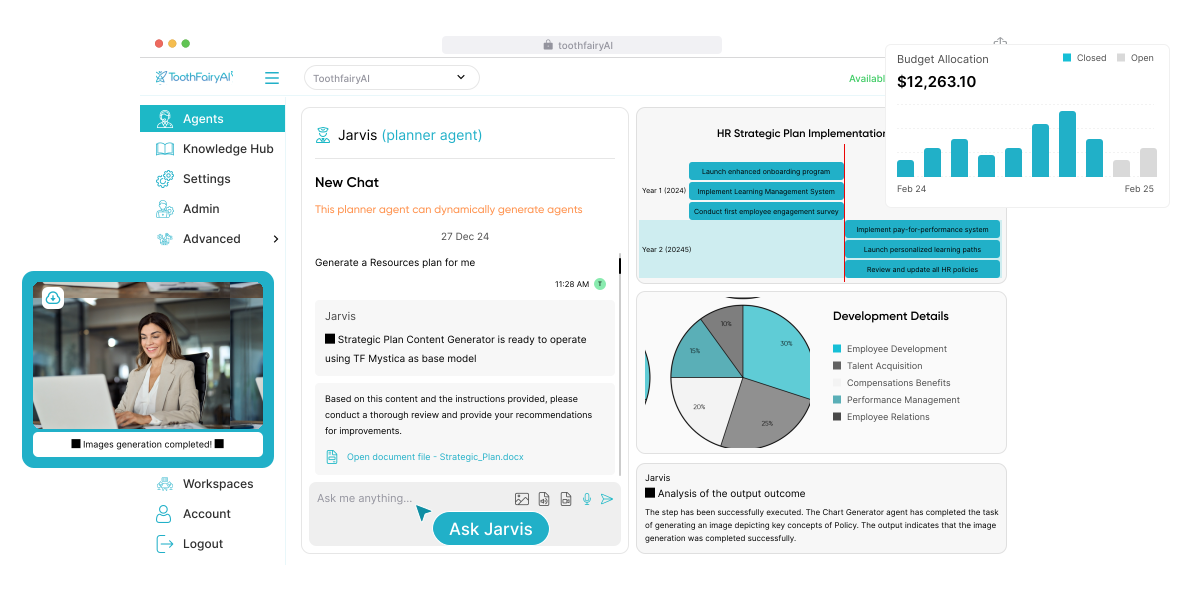
Creating your first AI agent on ToothFairyAI is simpler than it sounds. This guide walks you through the essentials: defining what the agent should do, connecting it to the right knowledge and tools, and deploying it safely inside your workspace.
An AI agent is more than a chatbot. It is a persistent, goal-oriented assistant that can reason over your documents, invoke tools, and complete multi-step tasks on your behalf. Whether you want to automate customer enquiries, summarise research, or draft reports, the same core workflow applies.
Step 1 — Define the Agent's Role and Goal
Start by giving your agent a clear purpose. Open the Agents section of your workspace and click Create Agent. Choose a descriptive name and write a system prompt that explains who the agent is, what it should achieve, and how it should behave.
A strong role description reduces hallucinations and keeps responses consistent. For example, instead of saying you are a helpful assistant, try you are a compliance analyst for a mid-sized consulting firm. You review procurement documents against internal policy, flag risks, and write plain-language summaries for non-legal stakeholders.
Step 2 — Connect Knowledge and Tools
Agents become useful when they can access your data. Connect one or more Knowledge Hubs containing documents, spreadsheets, previous reports, or web pages. Then choose the tools and skills the agent can use: web search, code execution, file generation, or specialist sub-agents such as Researcher, Analyst, and Verifier.
- Knowledge Hubs — Give the agent context from your approved documents and data
- Tools — Let the agent run calculations, search the web, or generate files
- Skills — Add reusable behaviours like Verify Output, Structure Response, or Step Back and Rethink
- Sub-agents — Delegate research, analysis, and verification tasks to specialist agents
Step 3 — Configure Execution and Guardrails
Choose how autonomous the agent should be. For straightforward questions, Standard RAG mode answers from your knowledge base quickly. For complex workflows that require planning and tool use, enable Agentic mode and select an execution budget such as Short, Medium, Long, or Marathon.
Set guardrails that match your risk appetite. Require human approval before the agent runs shell commands, creates files, or sends messages. Restrict it to specific knowledge hubs, limit the directories it can access, and choose a regional endpoint to keep inference within your required jurisdiction.
Step 4 — Test, Refine, and Deploy
Use the built-in playground to test your agent with real questions. Review the reasoning trail, check the sources it used, and adjust the prompt or tools based on what you see. Iteration is normal: most productive agents evolve over several sessions as you tune their instructions and knowledge.
Once you are happy with the results, publish the agent and share it with your team. You can embed it in a chat interface, invoke it via API, or assign it to workflows inside the ToothFairyAI Desktop. With the right role, knowledge, and guardrails, your first agent can start delivering value within minutes.